Has the Linux Desktop Finally Become Usable?
A pair of $25 Chromebooks became an unexpected test of how far desktop Linux has come. Windows technically worked but consumed too much of the machines' limited storage and required more hardware-specific effort. Linux with Xfce was lean, functional, and unexpectedly uneventful. The remaining problems increasingly come from ecosystem support rather than the desktop itself.
· Blaize Stewart · #linux #desktop-linux #chromebook #xubuntu #xfce #open-source #refurbished-hardware
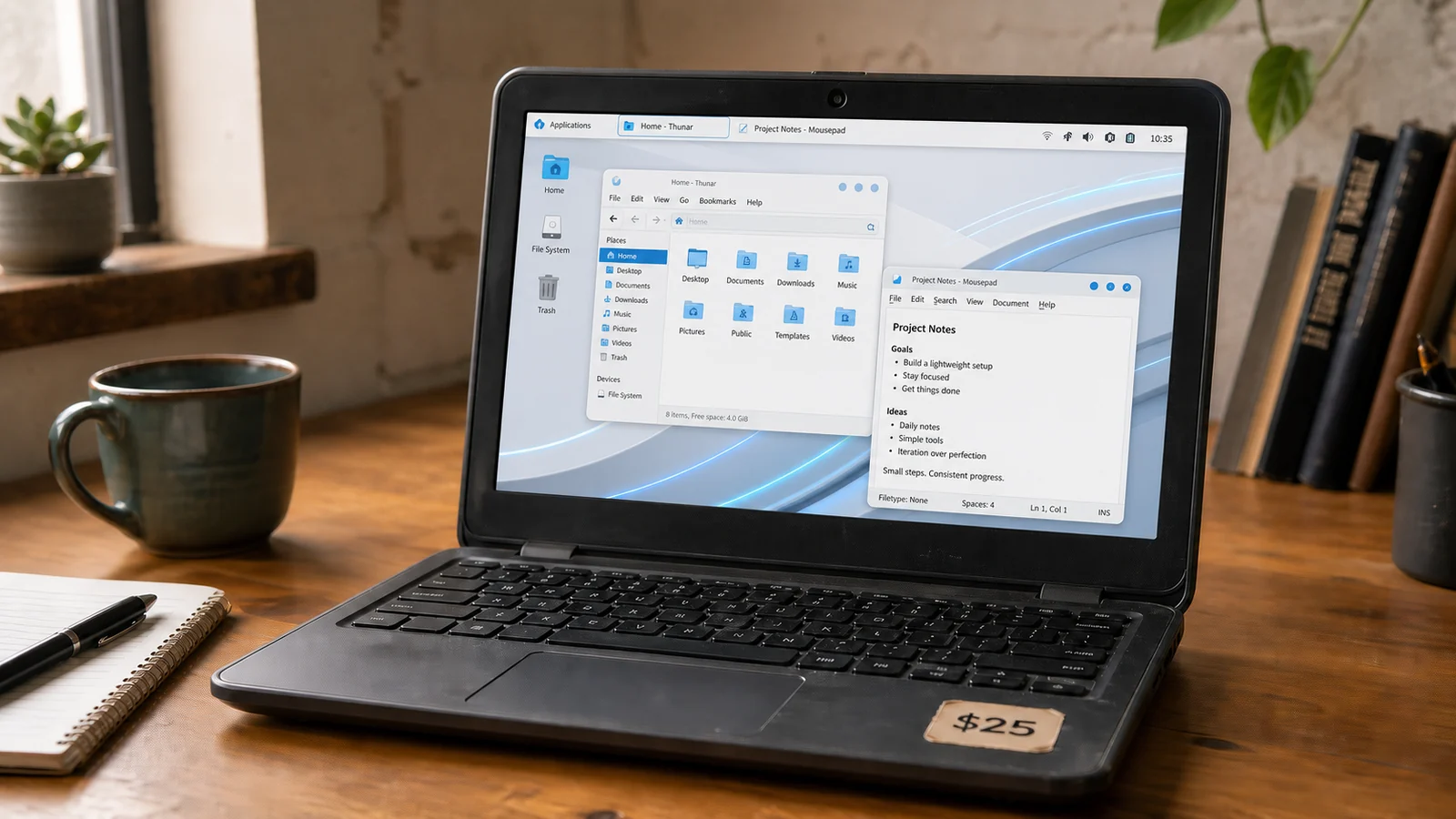
For a long time, the Linux desktop occupied a very specific category in my head. Linux was excellent on servers, useful in appliances, indispensable in infrastructure, and perfectly at home anywhere a command line was sufficient. The desktop was different. Every serious attempt I made to use Linux as a daily desktop eventually turned into a project. Something would not work, something else would work only after editing a configuration file, and the applications I actually wanted were usually better on Windows or macOS. After enough rounds of that, I largely stopped trying.
A recent experiment with a couple of very cheap Chromebooks forced me to revisit that opinion.
The attraction of old Chromebooks is easy to understand. Used education and enterprise models can show up on eBay for $20 or $25. Nobody is going to confuse one with a premium laptop. The processors are modest, the storage is tiny, the displays are basic, and the machines were built to hit a price point. They are also complete computers with keyboards, screens, batteries, Wi-Fi, webcams, touchpads, and power supplies. They tend to sip power and were designed to survive a school day. For the price of lunch, it is possible to buy an actual laptop that still has useful life in it. ChromeOS is perfectly adequate for the job Google designed it to do. That is also the reason I wanted to replace it. For my purposes, ChromeOS feels more like a browser-centric appliance than a general-purpose computer. I wanted the hardware without having the machine organized around Google's software and services. The question became whether an obsolete Chromebook could be turned into a small, inexpensive, genuinely useful laptop.
Windows was the first experiment. The surprising part was that it ran reasonably well. CPU performance was not really the problem, storage was. Microsoft currently specifies a 64 GB storage device as the minimum for Windows 11, which already puts the operating system at odds with the tiny eMMC devices common in this class of Chromebook. Even after stripping Windows down aggressively with tools like Tiny11 and Nano11, even IoT builds, too much of the machine was committed to the operating system before any useful software or data was added. A machine can technically run an operating system and still be a poor fit for it. Hardware support was another reminder that running Windows on hardware never designed for it is different from running Windows on a normal PC. The touchpad, sound, and other integrated devices required extra effort. Workarounds were possible. An external mouse would solve one problem, or a Bluetooth speaker could solve another. But that missed the point. A laptop should work as a laptop.
Linux changed the equation mostly because it let the machine remain small. A minimal Linux installation can start from a very lean base and grow only as far as the job requires. For this machine, that meant a lightweight desktop, a browser, an office suite, remote desktop tools, and a handful of ordinary utilities. There was no reason to make the operating system larger than the computer's purpose. I chose Xfce because it has historically been my preferred Linux desktop. Its own project describes it as a lightweight environment intended to stay fast and low on system resources while still providing the functionality expected from a modern desktop. That description is accurate. Xfce is not trying to turn the desktop into an experience. It gives me windows, menus, panels, a file manager, settings, power management, application launching, and the other things a desktop is supposed to provide without all the eye candy. On this hardware, that restraint is an advantage.
The part I did not expect was how little attention the desktop itself demanded. Video worked. Wi-Fi worked. The touchpad worked. The webcam worked. The integrated hardware that had required special handling under Windows was simply present after Linux was installed. Sound did give me trouble for a while, which felt reassuringly traditional for Linux, but even that turned out to be configuration rather than a missing driver. Once the configuration was corrected, the problem disappeared.
Printing may have been the moment that most challenged my old assumptions. Printing on Linux used to be a dumpster fire. This time I added a network printer and it behaved like a commodity device. Discovery worked, setup was uneventful, and printing worked. The printing ecosystem itself changed. IPP Everywhere was created to let computers discover and print to compatible devices without vendor-specific driver packages, and CUPS and Linux are first-class clients for the standard. The Printer Working Group says 98 percent of printers sold today support IPP/2.0 and DNS-SD, the discovery technology used by driverless printing. Linux did not win the printer-driver war by accumulating a perfect driver for every model. Much of the industry moved toward a standard that made the old driver problem less important.
Applications are in a similar, if less complete, place. LibreOffice is far more capable than I remembered. I am still considerably faster in Microsoft Office because that is what I know, but Writer and Impress were more than capable . For ordinary documents, spreadsheets, PDFs, and basic office work, the limitation is more often my familiarity than the software. Modern browsers erase another large part of the historical desktop application gap. Web applications that work in Chrome, Firefox, or another standards-based browser generally do not care very much what operating system is underneath them.
Remote administration was another non-event. I tried multiple RDP clients against Windows machines and they worked. The basic utilities I needed were available. Package management remains one of Linux's strengths once the desired application exists in the ecosystem. For this particular machine, I eventually reached the state that used to feel oddly elusive on desktop Linux. I stopped configuring the computer and started using it.
But there are caveats.
Commercial software remains the obvious weakness. Windows and macOS are the primary targets for a large portion of desktop software vendors, and Linux support, when it exists, can still feel secondary. Adobe's major desktop applications are an easy example. Microsoft Office on the web is useful, but it is not the same product as the full Windows desktop suite. Specialized enterprise applications, hardware utilities, VPN clients, peripheral configuration tools, and niche commercial software can still turn an otherwise ordinary requirement into a compatibility exercise.
The market explains some of that. StatCounter measured Linux excluding ChromeOS at roughly 7.5 percent of worldwide desktop operating-system web usage in July 2026. That still more than ChromeOS at 1.5%. That is no longer the microscopic share associated with the Linux desktop of years ago, but it is still small beside Windows and Apple's combined desktop footprint. A software company deciding where to spend engineering and support money can rationally put Linux behind the two dominant commercial desktop platforms. Technical maturity does not automatically create vendor priority.
Perhaps the desktop world has also given Linux time to catch up. Desktop computing is mature. Windows and macOS continue to improve, but the fundamental job has been stable for years. A useful laptop needs reliable hardware support, networking, browsers, productivity software, printing, media, power management, file handling, remote access, and a tolerable interface. The target is no longer moving at the speed it did during earlier eras of desktop computing. Linux distributions, desktop environments, standards, drivers, and applications have had years to close gaps that once made the platform exhausting.
That leaves the original question open. Has the Linux desktop finally become usable?
For a $25 Chromebook with limited storage and modest hardware, my has moved towards "yes" than I expected. Windows ran, but it wanted more machine than I had. Linux adapted to the machine instead. Xfce stayed out of the way. The hardware mostly worked. Printing was boring. The applications covered the jobs I actually needed. The remaining weaknesses were mostly about commercial ecosystem support rather than the desktop falling apart under ordinary use. That is a very different complaint from the ones I had ten years ago. I am not ready to declare Linux the universal desktop replacement, and there are still workloads where Windows or macOS is the obvious choice. But I may have to retire an old assumption. Desktop Linux used to feel like something I maintained in order to use. On this machine, I mostly just used it.
Further reading
Microsoft Windows 11 Requirements
Printer Working Group IPP Everywhere